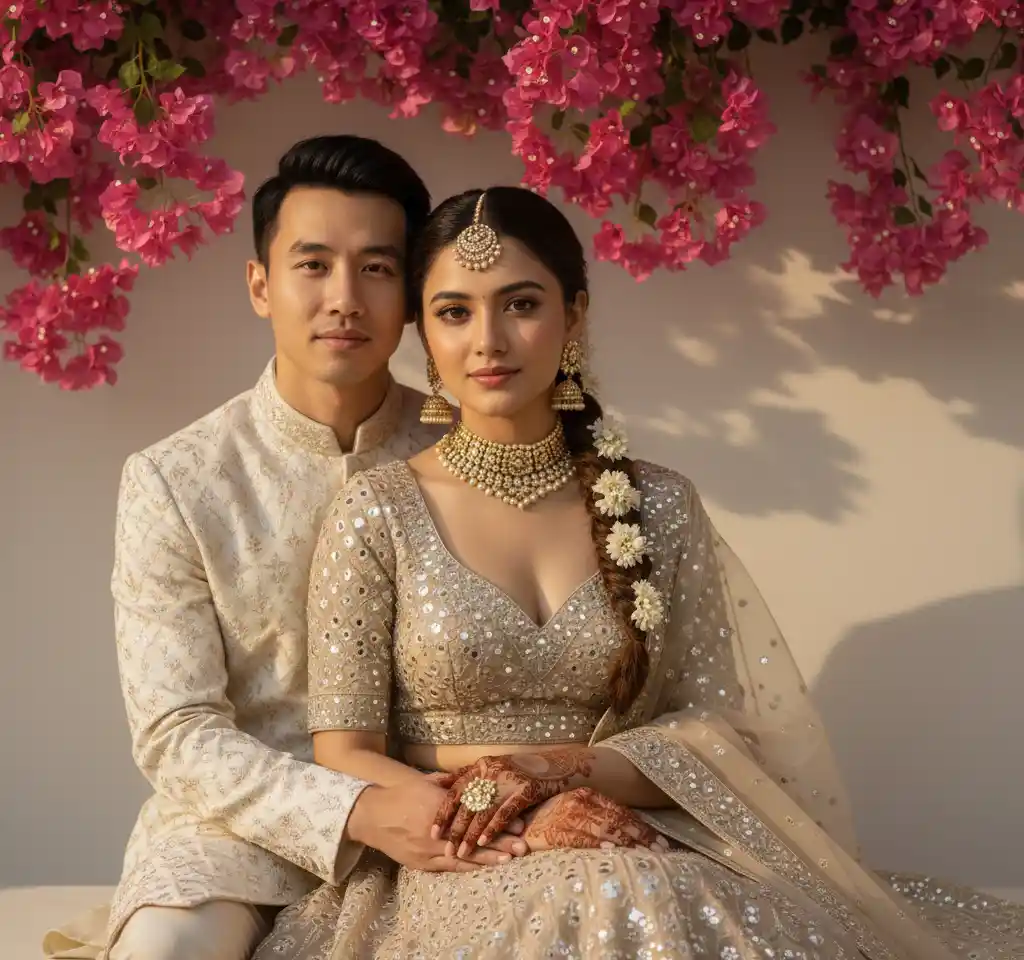
A friend in a long-distance relationship asked me this last month: “Is there any way to get a photo of us together before I fly out?” They had dozens of individual pictures and zero shots in the same frame. A studio was out of budget. Photoshop felt intimidating.
That is the situation this guide is for. Not “AI is revolutionizing photography” — just: two people, two photos, one portrait you can actually send to family or set as your lock screen.
When this works — and when it does not
Works well: clear faces, daylight or soft indoor light, front-facing angles, one person per photo.
Struggles: blurry motion shots, heavy beauty filters, sunglasses, faces turned 90° away from camera, or group photos where the AI has to guess which person is you.
Be honest about your source photos. A two-minute retake near a window often saves ten minutes of frustration.
Step by step (about two minutes)
Start with two usable photos — not perfect ones
You do not need professional portraits. You need faces the camera can read: eyes visible, decent light, minimal blur. Bathroom mirror selfies often work. Night-out flash photos usually do not.
Download AI Couple Photo (Android or iPhone)
Search AI Couple Photo on the Play Store or App Store. The couple-specific templates — wedding, beach, cinematic, festival — are what make this different from a generic face-swap filter.
Pick a scene that matches the mood you want
Want realism? Start with romantic beach or wedding studio templates. Want something artistic for Instagram? Try cinematic or festival styles later. Match the template to the vibe of your source photos — serious faces + dramatic template usually works; big smiles + moody cinematic can feel off.
Upload Person 1, then Person 2, then Generate
Follow the slots in the app. Wait roughly 20–30 seconds. If the first result is close but not quite right, try a second template before you retake photos — sometimes it is the scene, not the selfie.
Save it and actually use it
Set it as your WhatsApp DP, send it to your partner, drop it in a digital invite, or order a small canvas print. The photo only matters once you share it.
Mistakes we see people make
Uploading a group photo and hoping the AI guesses
Crop to one face per upload. Background strangers confuse the result.
Using a Snapchat or Instagram filter on the source
The AI needs your real skin tone. Filters that smooth everything to porcelain cause weird blends.
Choosing a cartoon template and expecting realism
Ghibli and painting styles are fun — they are not meant to look like a real studio shoot.
Giving up after one try
Template + lighting pairing matters. Two or three attempts cost less than two minutes.
What to do with the photo after
- Matching WhatsApp or Instagram profile pictures
- A digital save-the-date or wedding WhatsApp broadcast
- An anniversary gift printed on canvas or in a small photo book
- A “see you soon” message when you are long-distance
For more ideas, see our anniversary gift guide or pre-wedding photo guide.
Download free — generate with coins in app
Put yourselves in the same photo today
Two uploads, one template, under a minute. Download AI Couple Photo and use the photos already on your camera roll.
Questions people ask
Can I make a couple photo if we have never taken a picture together?+
Yes — that is exactly what this is for. Upload one photo of you and one of your partner. The app places both of you in the same scene. Long-distance couples do this more than anyone else.
Will our faces still look like us?+
They should, as long as your source photos are clear. The app maps your real features onto the template. If it looks like a stranger, the usual fix is a better selfie — more light, face the camera, drop the heavy filter.
What photos should we upload?+
Front-facing, well-lit, no sunglasses. Natural daylight near a window beats a dark restaurant. One person per photo — no friends half-visible in the background.
How long does it take?+
Pick a template, upload, generate. Most couples have something they are happy to share in under a minute.
Can we print it or use it on a wedding invite?+
Yes. Download the high-resolution file for WhatsApp invites, Instagram, or a small print run. For formal wedding stationery, order a proof from your printer first.
Is the app free? How do coins work?+
The app is free to download from the Play Store and App Store, and browsing templates is completely free. Each image generation uses 10 coins — purchase a coin pack in the app when you are ready to create.